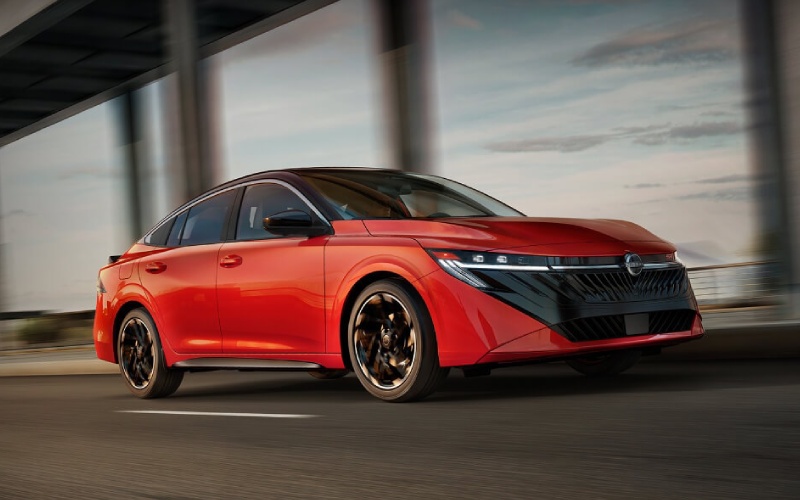
Montgomeryville Nissan - Does the 2026 Nissan Sentra offer wireless CarPlay and Android Auto near Norristown, PA?
The 2026 Nissan Sentra® is built to keep your day moving—especially if your drives take you along Germantown Pike, US-202, or I-76 into Conshohocken and Center City. If you’re wondering whether you can leave the cords at home, the answer is straightforward: the 2026 Sentra offers wireless Apple CarPlay® integration and Android Auto™ capability, so your favorite apps, maps, and messages show up seamlessly on the Sentra’s large NissanConnect® display without plugging in.
At Montgomeryville Nissan, serving Horsham, Chalfont, and Feasterville Trevose, we hear from drivers who want easy navigation, hands-free calling, and quick access to audio—all without juggling a cable during busy mornings. Below, we map out exactly how this works in the 2026 Sentra and why it makes everyday driving around Norristown, PA simpler and more enjoyable.
How wireless CarPlay and Android Auto work in the 2026 Sentra
With the Sentra’s standard NissanConnect® 12.3-inch infotainment system and available monolith display featuring 12.3-inch dual displays, your phone becomes an extension of the car—only safer and more intuitive. Wireless Apple CarPlay® and Android Auto™ let you launch navigation, stream audio, dictate texts with your voice assistant, and switch playlists right from the touchscreen or steering-wheel controls.
Whether you’re heading to King of Prussia Town Center, navigating to a game at Norristown Area High School, or finding the fastest route along the Schuylkill Expressway, the interface is clean and responsive. Pair once, and the Sentra will reconnect automatically when you get in—no fumbling with cords in a tight downtown parking spot on DeKalb Street.
Quick setup: pair once, then go
Getting connected takes about a minute. After that, your Sentra will remember your device and reconnect automatically, so you can focus on the road.
- Enable Bluetooth and Wi-Fi on your compatible smartphone.
- On the Sentra’s NissanConnect® screen, open Settings and start the phone pairing process.
- Select your Sentra on your phone’s Bluetooth list and confirm the pairing code on both screens.
- Accept the Apple CarPlay® or Android Auto™ prompts to enable wireless access and contacts/messages permissions.
- Choose CarPlay or Android Auto as your preferred projection method when prompted. You’re set—next time you start the car, it will connect automatically.
If you prefer a plugged-in connection for faster charging on longer rides to Norristown Farm Park or Valley Forge, the Sentra also provides USB ports for quick top-offs while you use your phone’s apps on screen.
Why wireless integration matters for Norristown driving
Real-world daily driving is where the 2026 Sentra’s wireless integration shines. The combination of a broad display, responsive voice control, and clean mirroring keeps tech frustration out of your commute.
- Navigation you trust: Launch Apple Maps, Google Maps, or Waze with a tap or voice command. See turn-by-turn guidance on the big screen and hear clear instructions through your speakers.
- Reliable re-routing: Get smart detours when I-476 or Ridge Pike gets backed up. Your maps app can account for road work or a sudden slowdown near the Norristown Transportation Center.
- Hands-free messaging: Have texts read aloud and reply with voice—perfect for coordinating pick-ups around Elmwood Park Zoo without taking your eyes off the road.
- Easy entertainment: Switch playlists or podcasts quickly. With SiriusXM® available right in the Sentra, you can also mix satellite favorites with CarPlay or Android Auto streaming.
- Steering-wheel control: Keep your hands in place while adjusting volume, skipping tracks, or activating your voice assistant.
For families, it’s also a win inside the cabin. The available Bose Premium Audio System helps podcasts and playlists sound rich and full, and the interface is simple enough that any Additional Driver profile connected via NissanConnect® Services can hop in and feel at home.
Connected features you’ll actually use
Wireless smartphone integration is only part of the Sentra’s connected story. The broader NissanConnect® ecosystem enhances the way you live and drive in and around Norristown.
- Wi-Fi Hotspot: Connect up to seven compatible devices—handy for passengers during weekend drives to Valley Forge National Historical Park or long stretches on the PA Turnpike.
- Remote Engine Start with Intelligent Climate Control: Use the MyNISSAN app to precondition the cabin before you leave your home near Harding Boulevard or your office by Main Street.
- Walk Away Status: Get a notification if you left doors unlocked or windows open—no second-guessing once you’re already in line at the coffeeshop.
- Remote Vehicle Status: Check miles to empty, lock status, and tire pressure from your phone—great before a late-night run to Plymouth Meeting.
- Connected Garage Door Opener with myQ®: Open or close a compatible garage door from the vehicle or the app, with notifications for extra peace of mind.
Add it all up, and the Sentra becomes a smart hub that quietly handles the small details—so your day runs on time.
Trim, screens, and availability
The 2026 Sentra lineup—S, SV, SR, and SL—centers around a modern, intuitive interface. The S features the NissanConnect® 12.3-inch infotainment system, while available upgrades bring the dramatic monolith display with integrated 12.3-inch dual displays. Wireless Apple CarPlay® and Android Auto™ are available, and we can help you confirm feature availability on any Sentra in our inventory so you drive home with the setup you want from day one.
If you’re cross-shopping, the 2026 Sentra’s cockpit is designed for clarity: clean menus, fast pairing, and swift response to voice commands. That makes a difference when you’re merging from Johnson Highway onto US-202 and need info right now—not three taps later.
Troubleshooting tips before you call us
Most wireless connection hiccups resolve quickly. Try these practical steps first, and if you still need help, our team will walk you through it in person.
- Stability: Ensure Bluetooth and Wi-Fi are enabled on your phone—wireless CarPlay and Android Auto™ rely on both.
- Permissions: On first connection, accept prompts for messages, contacts, and CarPlay/Android Auto access. If you declined earlier, re-enable them in your phone’s settings.
- Updates: Install the latest iOS or Android updates and restart your phone. Software updates frequently improve connectivity.
- Reset pairing: In the Sentra’s Bluetooth device list, remove your phone, then re-pair. On your smartphone, “forget” the Sentra and start fresh.
- Charging plan: Wireless mirroring can use more battery. Use the Sentra’s USB ports to keep your phone topped off on longer drives.
Prefer a guided walkthrough? When you test-drive the Sentra at Montgomeryville Nissan, we’ll pair your phone with you and make sure your home screen looks and works the way you expect.
How this fits with driver assistance
Wireless Apple CarPlay® and Android Auto™ complement the Sentra’s available ProPILOT Assist by keeping your directions, calls, and audio simple while advanced driver assistance helps ease highway traffic. Use voice control for requests, keep your hands on the wheel, and let the Sentra’s tech reduce distraction across your Montgomery County routes.
It’s part of what makes the 2026 Sentra feel premium and effortless—technology that supports your routine without getting in the way.
Frequently Asked Questions:
Is wireless Apple CarPlay and Android Auto available on every 2026 Sentra?
Wireless Apple CarPlay® integration and Android Auto™ capability are available on the 2026 Sentra. Screen size and feature availability can vary by trim, so our team will help you choose a Sentra—S, SV, SR, or SL—with the exact setup you prefer.
Can I run Apple Maps or Google Maps while using ProPILOT Assist?
Yes. Your navigation app works alongside available ProPILOT Assist. Use voice control to set destinations and keep your attention on traffic. Always follow all instructions in the owner’s manual and keep your hands on the wheel.
What if I want a wired connection sometimes?
No problem. The Sentra provides USB ports for fast charging and a rock-solid wired connection. You can switch between wired and wireless based on your needs without changing your daily routine.
Try it yourself at Montgomeryville Nissan
Nothing beats trying your own phone in the car you plan to drive. Visit us on Bethlehem Pike—just a short hop from Norristown—to pair your device, test wireless Apple CarPlay® and Android Auto™, and see how the 2026 Sentra® makes everyday driving simpler. We’ll walk you through NissanConnect® features, set up the MyNISSAN app for Remote Engine Start with Intelligent Climate Control, and help you choose the trim that fits your commute and your tech wishlist.
Ready to see how smooth your daily drive can be with the 2026 Sentra? Contact our Montgomeryville Nissan team to schedule a test drive. We’ll have your apps connected and your route queued up in minutes.